PrO2+ is on the App Store. Download the companion app today for iPhone or Android to pair with your device and train anywhere.

Trainer mode
Onboard a client anywhere in the world, assign respiratory muscle training, and follow their respiratory wellness and aerobic capacity from the cloud portal or the PrO2 app.
What trainer mode unlocks
A standard account is for the person training. Trainer access is turned on by PrO2 Health and adds the tools for coaching a roster of clients, wherever they live.
Remote onboarding
A client creates an account on their phone, enters your ID, and starts training. No visit to your gym is required to get them on a program.
Cloud portal
See who trained, which protocol they are on, and how respiratory strength and session volume are moving—one client or a whole roster.
PrO2 app
Clients train with live feedback in a few minutes a day. You can also run a session on a shared device and have it sync to their account.
How it works
From access request to a client training on their own schedule, in four steps.
1 · Request access
Ask PrO2 Health to enable your trainer account
Create an account if you need one, then send the request with your name and where you coach. We review it and assign your ID. Mention that you are a trainer so we set the account up for a fitness roster.
Request trainer access2 · Share your ID
Give clients the code that links them to you
In the app, open Account → Edit Profile. Your ID is in the Clinician Account section. Share it by message, in a welcome note, or at the start of a program. One account can hold more than one code if you coach in more than one setting.
3 · They connect from anywhere
A client links, or you add them
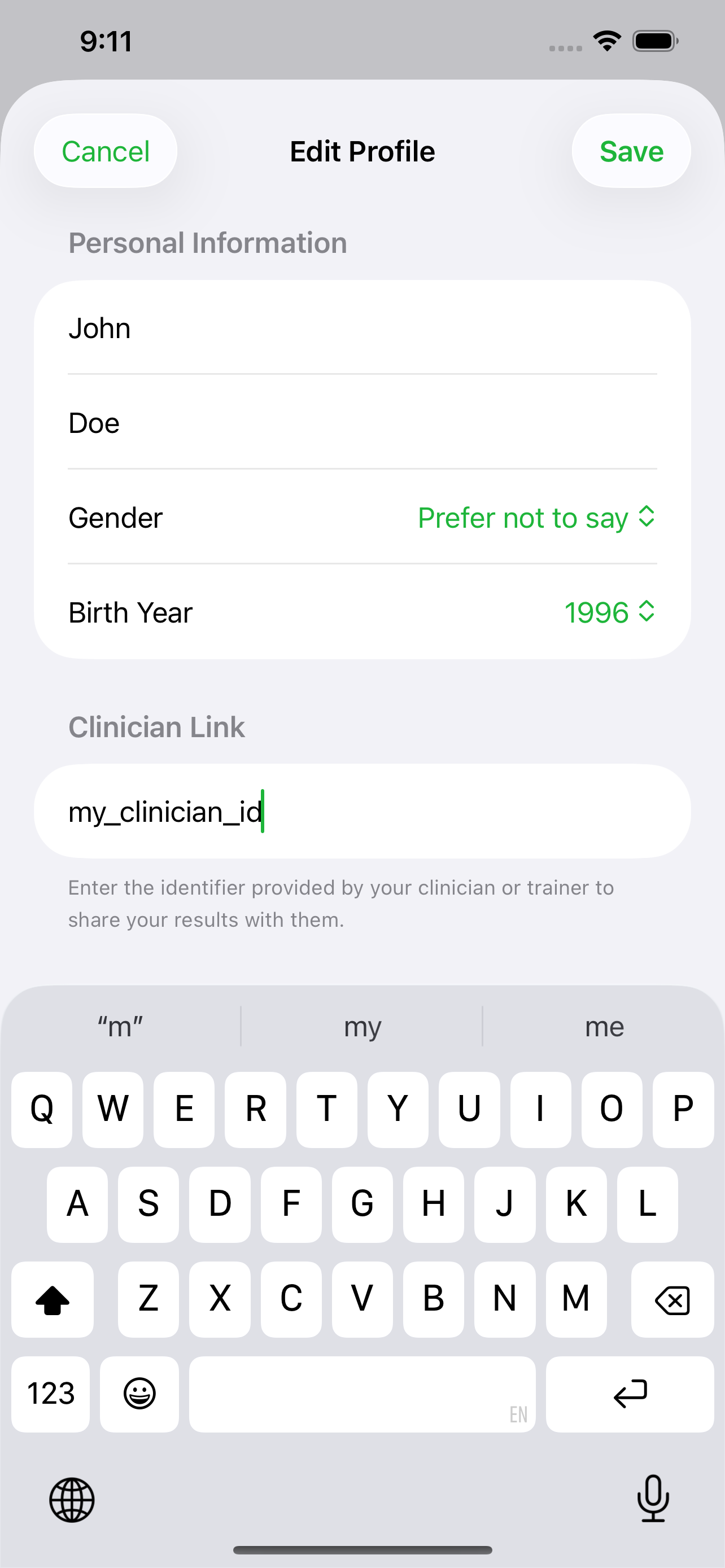
The client opens Account → Edit Profile → Linked Clinician, enters your ID, and saves. You can also add someone from the portal or the app. Their sessions then appear on your Linked Users list, whether they train next door or in another country.
See how a client links to you4 · Assign the work and follow it
Set a protocol and open their results
On Linked Users, choose a protocol for each client. Their app picks it up on the next session. Open a client to review trends, session detail, and individual breaths, then adjust the plan as fitness changes.
See protocol editingRespiratory wellness and aerobic capacity
Breathing muscles are part of the work that supports aerobic capacity. Trainer mode lets you put that work on a program and see whether clients are doing it.
A few minutes, on their schedule
Clients train inspiratory muscles with live targets in the app. Sessions are short enough to sit beside lifting, conditioning, or a travel week.
Progress you can coach from
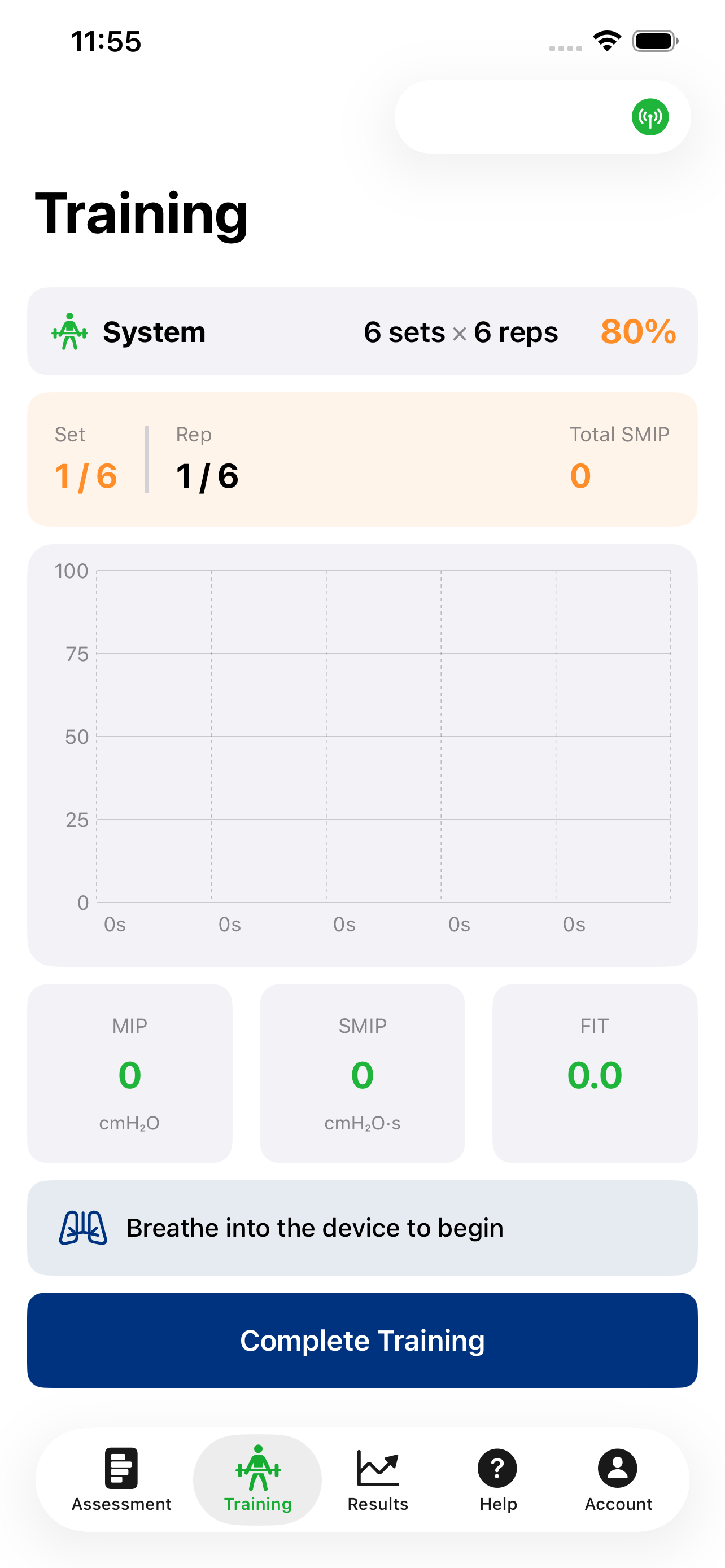
The portal shows days since last training and change in breaths, MIP, FIT, power, and time. Use that to decide who needs a check-in and when to progress the protocol.
Built for performance programs
Pair respiratory training with the rest of the plan—endurance blocks, return to sport, or general fitness. The fitness page covers the research behind performance use.
When a client or player is injured
Field work, lifting, and conditioning often have to stop. Respiratory training can continue. Trainers use PrO2 so an injured client or player keeps working the breathing muscles that support aerobic capacity while the rest of the program is limited.
Assign a protocol they can do at home. Sessions stay on your Linked Users list, so you can see adherence through the layoff and bring the load back up as they return.
A roster, near or far
The same ID works for a local client and for someone who trains in another city or country. In the app, Account → Manage Clients lists the people tied to your account. Search, add a client, and open details. Records sync with the cloud.
For a team that should stay off personal email, ask for anonymous accounts. Training still flows to your dashboard. Email sales@pro2health.com with your ID and how many logins you need.
Ready to coach breathing from anywhere?
Create an account and request trainer access. We will assign the ID your clients use to link with you. If you already have one, sign in to the portal.
Questions? sales@pro2health.com · 216.435.1195